ChatGPT Prompts for Web Developers: Practical AI Help for Coding, Debugging, and Building Websites
Web development involves much more than writing code. Developers regularly deal with planning, debugging, responsive layouts, APIs, databases, performance, accessibility, documentation, testing, and client requirements.
ChatGPT can help with many of these tasks when the prompt provides enough context. The key is to tell it what you are building, which technologies you are using, what problem you need to solve, and what kind of output you expect.
Below are practical prompts designed for real web development tasks. Replace the details in brackets with information about your own project before using them.
Table of Contents
How to Get Better Results From ChatGPT as a Web Developer
Before jumping into the prompts, provide useful context whenever possible. For example, instead of asking:
“Fix my code.”
Try explaining the language or framework, the expected behavior, the actual behavior, any error messages, and the relevant code.
A useful structure is:
Technology + Goal + Context + Constraints + Desired Output
For example:
“I am building a [React/Next.js/Vue] application. I need to create a responsive user profile component that displays an avatar, name, bio, and social links. Use [CSS/Tailwind CSS]. Keep the component accessible and mobile-friendly. Return the complete code and briefly explain the implementation.”
This gives the AI a clearer job and usually produces a more useful starting point.
Website Planning and Project Setup Prompts
Prompt 1: Plan a New Website
Prompt:
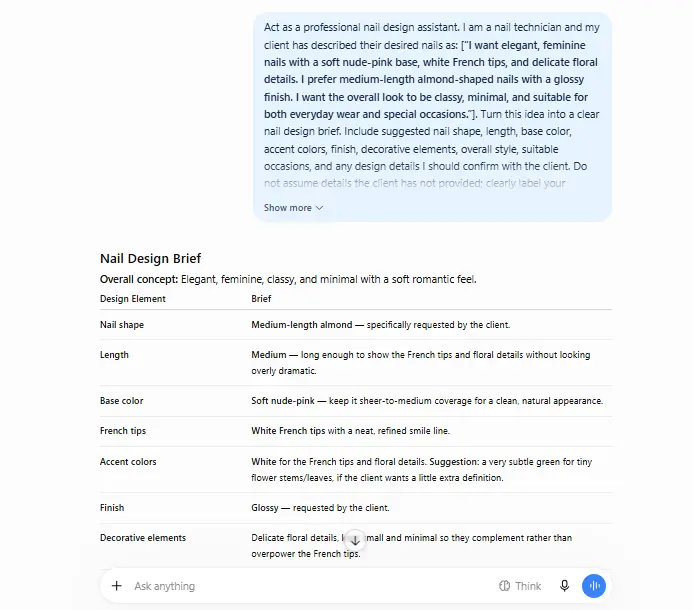
I am planning to build a [type of website] for [target audience]. The main purpose of the website is [goal]. Help me create a practical development plan covering the main pages, core features, recommended user flow, technical considerations, and a logical order for building the project. Keep the recommendations relevant to a [small/medium/large] project.
If you want more ideas specifically focused on planning, structuring, and creating complete websites, you can also explore these practical ChatGPT prompts for building a website.
If the website itself is being created around a new product, startup, or business concept, these ChatGPT prompts for generating business ideas may also help during the early planning stage.
For new websites or startup projects that still need a brand identity, these ChatGPT prompts for business names can help generate and evaluate naming ideas.
Prompt 2: Define Website Features
Prompt:
I am building a [website or web application type] with the following goal: [describe the goal]. Help me identify the core features required for the first version. Separate the features into: must-have for launch, useful later, and features that may add unnecessary complexity. Briefly explain why each feature belongs in that category.
Prompt 3: Create a Project Structure
Prompt:
I am building a project using [technology/framework]. The project needs to include [pages, components, APIs, authentication, database, or other requirements]. Suggest a clean and scalable project folder structure. Explain the purpose of each major folder and file. Do not add unnecessary complexity for a project of this size.
Prompt 4: Choose the Right Technology Stack
Prompt:
I want to build a [type of application] with these requirements: [requirements]. Compare suitable frontend, backend, database, authentication, and deployment options. Recommend a practical technology stack based on the project requirements, development complexity, maintainability, and expected scale. Explain the trade-offs rather than assuming one option is always best.
Prompt 5: Break a Web Project Into Development Tasks
Prompt:
I am building [describe the website or application]. Break the project into small development tasks that I can complete step by step. Organize the tasks in a logical build order, from project setup to testing and deployment. Include dependencies between tasks where relevant.
Frontend Development Prompts
Prompt 6: Build a Responsive Component
Prompt:
Create a responsive [component name] using [HTML/CSS/React/Vue/etc.]. The component should include [features or elements]. It must work well on mobile, tablet, and desktop screens. Use semantic markup where appropriate and explain any important implementation decisions.
Prompt 7: Convert a Design Into Code
Prompt:
I need to implement the following interface: [describe the design or attach the design details]. Build the frontend using [technology]. Focus on matching the layout, spacing, typography, responsive behavior, and component structure. Keep the code organized and reusable. If any design detail is unclear, make a reasonable assumption and clearly identify it.
Developers often work closely with visual layouts and design systems. For the creative and design side of the workflow, you can also explore these ChatGPT prompts for graphic designers
Prompt 8: Improve Existing Frontend Code
Prompt:
Review the following [HTML/CSS/JavaScript/framework] code and improve it for readability, maintainability, and responsiveness. Do not change the intended functionality unless there is a clear issue. Explain the main improvements and then provide the revised code.
[Paste code here]
Prompt 9: Create a Reusable UI Component
Prompt:
Build a reusable [button/card/modal/form/navigation/etc.] component using [framework or technology]. It should support these variations: [list variations]. Design the API or props so the component is flexible without becoming unnecessarily complicated. Provide example usage.
Prompt 10: Fix a Responsive Layout Problem
Prompt:
I have a responsive layout problem in my [HTML/CSS/framework] project. The expected behavior is [describe expected behavior], but on [mobile/tablet/desktop] the layout does [describe actual behavior]. Analyze the following code, identify the likely cause, and provide a corrected version.
[Paste code here]
The prompts in this article are designed around the kind of practical, copy-ready tasks a web developer may need, with the prompts remaining the main focus rather than being buried under general explanations.
JavaScript and Interactive Feature Prompts
Prompt 11: Build a JavaScript Feature
Prompt:
I am building a [type of website/application] using [technology]. I need to add a feature that allows users to [describe the feature and expected behavior]. Write the implementation step by step. Keep the code modular and explain how the main logic works. Also include basic error handling and edge cases that should be considered.
Prompt 12: Debug a JavaScript Error
Prompt:
I am getting the following error in my JavaScript code:
[Paste the error message]
Here is the relevant code:
[Paste code here]
Analyze the likely cause of the error. Explain the issue in simple technical terms, identify the problematic code, and provide a corrected version. Do not rewrite unrelated parts of the code.
Prompt 13: Create Form Validation
Prompt:
Create client-side validation for a form with the following fields: [list fields]. Use [plain JavaScript/framework]. Define validation rules for each field, show clear error messages, prevent submission when required fields are invalid, and explain how the validation logic works. Keep accessibility and user experience in mind.
Prompt 14: Build an Interactive Feature
Prompt:
Help me build an interactive [dropdown/modal/tabs/accordion/carousel/search/filter/etc.] for a website using [technology]. The feature should behave as follows: [describe expected behavior]. Write clean code, handle common edge cases, and make sure keyboard interaction is considered where relevant.
Prompt 15: Refactor JavaScript Code
Prompt:
Review the following JavaScript code and refactor it for better readability, maintainability, and structure. Preserve the existing functionality unless there is a bug. Identify duplicated logic, unclear naming, unnecessary complexity, and potential edge cases. Then provide the improved version.
[Paste code here]
Backend and API Development Prompts
Prompt 16: Design an API Endpoint
Prompt:
I am building a [type of application] using [backend technology]. I need an API endpoint for [describe the feature]. Help me design the endpoint, including the HTTP method, route structure, request parameters, validation, authentication requirements, possible responses, error handling, and example request and response data.
Prompt 17: Build a Backend Feature
Prompt:
I am using [backend language/framework] and need to build [describe the backend feature]. The feature should [describe requirements]. Suggest a clean implementation approach first, then provide the code. Include input validation, error handling, and any important security considerations relevant to this specific feature.
Prompt 18: Debug a Backend Issue
Prompt:
I am experiencing the following backend problem:
[Describe the issue or paste the error]
Technology stack: [list technologies]
Expected behavior: [describe expected behavior]
Actual behavior: [describe actual behavior]
Relevant code or logs:
[Paste here]
Analyze the problem systematically. Identify the most likely causes, explain how to test each possibility, and provide the smallest appropriate fix.
Prompt 19: Review an API Integration
Prompt:
Review my API integration and help me identify possible issues with request handling, authentication, error handling, response validation, retries, and data parsing. Do not assume the API behavior. Base your analysis on the documentation or code I provide.
API details:
[Paste documentation or relevant code]
Prompt 20: Add Error Handling to an API Request
Prompt:
I have the following API request code:
[Paste code here]
Improve its error handling. Consider network failures, invalid responses, timeouts where supported, authentication errors, and unexpected data. Keep the solution appropriate for [language/framework] and explain what each type of error handling is designed to address.
Database and Data Management Prompts
Prompt 21: Design a Database Schema
Prompt:
I am building a [type of application] that needs to store [describe the main types of data]. Help me design a practical database schema using [SQL database/NoSQL database]. Identify the main entities, relationships, important fields, constraints, and indexes that may be useful. Explain any assumptions you make.
Prompt 22: Write and Improve a Database Query
Prompt:
I need a [SQL/database] query that does the following:
[Describe the required result]
My relevant tables or collections are:
[Paste schema]
Write the query and explain how it works. If there are multiple reasonable approaches, recommend the clearest option and mention any performance considerations relevant to the query.
Prompt 23: Debug a Database Problem
Prompt:
I am having a problem with [database name]. The issue is:
[Describe the problem or error]
Here is the relevant schema and query:
[Paste here]
Help me diagnose the problem step by step. Explain the likely cause and provide a corrected query or implementation without changing unrelated parts of the database design.
Prompt 24: Plan a Database Migration
Prompt:
I need to change my database from [current structure] to [new structure]. Help me plan a safe migration process. Consider existing data, backward compatibility, validation, rollback options, and downtime risks where relevant. Provide the steps in the order they should be performed.
Prompt 25: Review My Data Model
Prompt:
Review the following database schema for a [type of application]:
[Paste schema]
Analyze the relationships, data types, naming, constraints, duplication risks, and likely query patterns. Identify potential problems and suggest practical improvements. Do not redesign the schema unnecessarily if the current structure already fits the requirements.
Testing, Security, Performance, and Deployment Prompts
Prompt 26: Create a Testing Strategy
Prompt:
I am building a [type of website/application] using [technology stack]. Help me create a practical testing strategy for the project. Identify what should be covered by unit tests, integration tests, end-to-end tests, and manual testing where appropriate. Prioritize the most important user flows and explain what should be tested first. Keep the strategy realistic for a [solo developer/small team/large team].
Prompt 27: Write Unit Tests
Prompt:
Write unit tests for the following [JavaScript/TypeScript/Python/etc.] code using [testing framework]. Cover the main expected behavior, important edge cases, invalid inputs, and error conditions. Keep the tests readable and independent. Explain what each test verifies and avoid testing implementation details unnecessarily.
Code:
[Paste code here]
Prompt 28: Create End-to-End Tests
Prompt:
I need end-to-end tests for a [website/application] using [Playwright/Cypress/other tool]. The main user flow is:
[Describe the user flow]
Create a reliable test that covers the complete journey, including important validation and failure scenarios. Use stable selectors where possible and explain how to reduce flaky tests.
Prompt 29: Debug a Failing Test
Prompt:
One of my automated tests is failing.
Test code:
[Paste test]
Application code:
[Paste relevant code]
Error message:
[Paste error]
Expected behavior:
[Describe expected behavior]
Analyze why the test is failing. Separate application bugs from test bugs, identify the most likely cause, and provide the smallest appropriate fix.
Prompt 30: Review Website Security
Prompt:
Perform a security-focused review of the following web application code:
[Paste code]
Technology stack:
[List technologies]
Look for common web security risks such as injection, XSS, CSRF, insecure authentication, authorization problems, exposed secrets, unsafe input handling, insecure file uploads, and improper error messages. Prioritize findings by severity and provide practical remediation steps. Do not assume a vulnerability exists without explaining the evidence.
Performance Optimization Prompts
Prompt 31: Improve Website Performance
Prompt:
I want to improve the performance of my [website/application]. My technology stack is [list technologies], and the current performance problem is [describe issue].
Analyze the information I provide and identify the highest-impact improvements first. Consider JavaScript, CSS, images, fonts, network requests, caching, rendering, database queries, and third-party scripts where relevant. Give me a prioritized action plan instead of suggesting unnecessary optimizations.
Prompt 32: Optimize JavaScript Performance
Prompt:
Review the following JavaScript code for performance problems:
[Paste code]
Identify unnecessary calculations, repeated operations, inefficient loops, excessive DOM manipulation, memory-related concerns, and avoidable network requests where applicable. Explain which issues actually matter and provide an optimized version while preserving the existing behavior.
Prompt 33: Optimize Database Performance
Prompt:
My application is experiencing slow database queries.
Database: [database]
Query:
[Paste query]
Schema:
[Paste relevant schema]
Analyze the query and identify possible performance bottlenecks. Consider indexes, joins, filtering, sorting, pagination, query structure, and unnecessary data retrieval. Recommend changes based on the information provided and explain why each change could improve performance.
Prompt 34: Improve Page Load Speed
Prompt:
Help me improve the loading speed of this web page.
Page type:
[Describe page]
Technology:
[Technology stack]
Current metrics:
[Paste Lighthouse/PageSpeed metrics]
Identify the most important issues affecting loading performance. Prioritize recommendations based on likely impact and explain which changes should be made first. Avoid generic advice that is not relevant to the provided metrics.
Prompt 35: Optimize API Performance
Prompt:
My API is slower than expected.
Backend:
[Technology/framework]
Endpoint:
[API endpoint]
Current response time:
[Response time]
Relevant code:
[Paste code]
Analyze possible causes such as database queries, unnecessary processing, external API calls, large responses, repeated requests, and inefficient data handling. Suggest practical optimizations and explain how I could measure whether each optimization actually helped.
Authentication and Authorization Prompts
Prompt 36: Implement User Authentication
Prompt:
I am building a [type of application] using [technology stack] and need user authentication. Help me design a secure authentication flow covering registration, login, logout, password handling, session or token management, protected routes, validation, and common failure cases. Explain the architecture first, then provide implementation guidance appropriate for my technology stack.
Prompt 37: Protect a Route
Prompt:
I need to protect the following route:
[Route]
My authentication system uses [sessions/JWT/OAuth/etc.].
Explain how to verify that the user is authenticated before allowing access. Include handling for expired or missing credentials and explain where authorization checks should happen. Provide code appropriate for [framework/language].
Prompt 38: Implement Role-Based Access Control
Prompt:
My application has these user roles:
[List roles]
I need role-based access control for the following features:
[List features]
Design a clear authorization system that determines what each role can access. Explain where permissions should be checked and provide an implementation example using [technology]. Include how unauthorized requests should be handled.
Prompt 39: Review Authentication Code
Prompt:
Review the following authentication and authorization code:
[Paste code]
Technology stack:
[List technologies]
Identify weaknesses involving credential handling, sessions or tokens, password security, authorization, validation, error handling, and sensitive information exposure. Rank the issues by importance and provide practical fixes without unnecessarily rewriting unrelated code.
Prompt 40: Build a Password Reset Flow
Prompt:
I need to implement a secure password reset feature for my [website/application].
Technology stack:
[List technologies]
Design the complete flow from requesting a reset to creating a new password. Consider token generation, expiration, single-use tokens, secure storage, rate limiting, account enumeration risks, email delivery, validation, and session handling after the password is changed. Provide implementation guidance appropriate for my stack.
Deployment and DevOps Prompts
Prompt 41: Prepare a Website for Deployment
Prompt:
I am preparing my [website/application] for production deployment.
Technology stack:
[List technologies]
Hosting platform:
[Hosting provider]
Help me create a production-readiness checklist covering environment variables, builds, database configuration, security, logging, error handling, caching, HTTPS, backups, monitoring, and deployment configuration. Prioritize critical items and explain why they matter.
Prompt 42: Debug a Deployment Error
Prompt:
My web application works locally but fails after deployment.
Hosting platform:
[Platform]
Technology stack:
[Stack]
Local behavior:
[Describe]
Production behavior:
[Describe]
Error message or logs:
[Paste logs]
Analyze the most likely causes and give me a step-by-step debugging process. Focus on environment differences, environment variables, build configuration, dependencies, networking, permissions, and production settings where relevant.
Prompt 43: Create Environment Configuration
Prompt:
Help me organize environment-specific configuration for my [website/application].
Environments:
[Development/Staging/Production]
Technology:
[Technology]
Identify which settings should be environment variables, which values can safely be committed to source control, and which values must remain secret. Provide a clean configuration structure and explain how to avoid accidentally exposing sensitive values.
Prompt 44: Create a CI/CD Workflow
Prompt:
I want to create a CI/CD workflow for my [website/application] using [GitHub Actions/GitLab CI/other platform].
Technology stack:
[List technologies]
The workflow should:
[Run tests/build/deploy/etc.]
Design a practical pipeline that runs the appropriate checks before deployment. Include dependency installation, testing, build steps, environment handling, deployment conditions, and failure handling. Explain each stage clearly.
Prompt 45: Create a Production Monitoring Plan
Prompt:
Help me create a monitoring plan for my production web application.
Technology stack:
[List technologies]
Identify what I should monitor for application errors, server health, API performance, database performance, uptime, security-related events, and important user-facing failures. Recommend useful metrics, alerts, and logging practices based on my stack. Prioritize what a small development team should implement first.
Git and Code Collaboration Prompts
Prompt 46: Improve My Git Workflow
Prompt:
I am working on a [solo/team] web development project using Git. Help me create a simple workflow for branches, commits, pull requests, code reviews, releases, and handling urgent fixes. Keep the workflow practical and avoid unnecessary complexity. Explain when each branch or workflow step should be used.
Prompt 47: Write a Better Commit Message
Prompt:
Create a clear Git commit message for the following change:
[Describe changes]
Follow a consistent conventional commit style where appropriate. Keep the message concise and make the purpose of the change immediately understandable.
Prompt 48: Review a Pull Request
Prompt:
Review the following pull request changes as a senior web developer:
[Paste diff/code]
Look for bugs, security problems, performance issues, maintainability concerns, broken edge cases, and unnecessary changes. Separate critical problems from optional improvements. For each issue, explain why it matters and suggest a specific fix.
Prompt 49: Resolve a Git Conflict
Prompt:
I have a Git merge conflict involving the following files:
[List files]
Conflict:
[Paste conflict]
Explain what each side of the conflict is changing, help me determine what the final code should contain, and provide the corrected version. Do not blindly choose one side if both changes are important.
Prompt 50: Plan a Safe Codebase Upgrade
Prompt:
I need to upgrade [framework/library/runtime] from version [current version] to [target version].
My project uses:
[List relevant dependencies]
Help me create a safe upgrade plan. Identify potential breaking changes, dependency compatibility issues, testing requirements, migration steps, rollback options, and deployment considerations. Organize the process in the order I should perform it and highlight anything that requires special attention.
How to Get Better Results From These Web Developer Prompts
When using these prompts with ChatGPT or another AI coding assistant, provide as much relevant technical context as possible. Include your technology stack, framework version, relevant code, error messages, expected behavior, actual behavior, database schema, API documentation, or performance metrics when available.
Instead of asking:
“Why is my website slow?”
give the AI specific information such as:
“My Next.js website has an LCP of 4.2 seconds on mobile. The hero image is 1.8 MB, and the page loads three third-party scripts. Here are my Lighthouse results…”
Specific context usually produces much more useful development guidance.
Website Performance and Optimization Prompts
A website can work correctly and still provide a poor experience if pages load slowly, JavaScript blocks the browser, images are unnecessarily large, or resources are not delivered efficiently. ChatGPT can help developers investigate performance problems and organize optimization work when provided with real measurements and relevant code.
Prompt 26: Analyze Website Performance
Prompt:
I am working on a [website/web application] built with [technology/framework]. My current performance results are [paste Lighthouse/PageSpeed/WebPageTest results]. Analyze the results and identify the most important performance problems. Prioritize the issues by potential impact and effort. Create a practical optimization plan without recommending changes that are unlikely to provide meaningful benefits.
Prompt 27: Optimize Page Load Speed
Prompt:
My [website/page] loads slower than expected. The technology stack is [stack]. The main symptoms are [describe symptoms]. Help me identify possible causes involving images, CSS, JavaScript, fonts, third-party scripts, caching, server response time, and rendering. Give me a prioritized troubleshooting checklist and explain how I can verify each improvement.
Prompt 28: Optimize JavaScript Performance
Prompt:
Review the following JavaScript code for potential performance problems:
[Paste code here]
Identify unnecessary calculations, repeated operations, inefficient loops, excessive DOM manipulation, event-handling issues, or other performance concerns. Preserve the current functionality and provide an optimized version only where the improvement is justified.
Prompt 29: Optimize CSS
Prompt:
Review the following CSS and identify opportunities to improve maintainability and browser performance without changing the visual result:
[Paste CSS here]
Look for duplicated rules, unnecessary selectors, overly complex styles, unused patterns, and opportunities to simplify the stylesheet. Explain the important changes and provide the revised CSS.
Prompt 30: Optimize Images for the Web
Prompt:
I am optimizing images for a [type of website]. My current image formats, dimensions, and approximate file sizes are:
[Provide details]
Recommend an appropriate image optimization strategy. Consider responsive images, modern formats, dimensions, compression, lazy loading, image quality, and accessibility. Explain which recommendations are most important for page performance.
Prompt 31: Reduce Unnecessary Third-Party Scripts
Prompt:
My website uses these third-party scripts:
[List scripts]
Help me evaluate which scripts may affect page performance, loading behavior, or user experience. Suggest ways to reduce their impact without removing functionality that is genuinely required. Separate high-impact recommendations from optional improvements.
Prompt 32: Improve Core Web Vitals
Prompt:
I am trying to improve the Core Web Vitals of my website. My current measurements are:
LCP: [value]
INP: [value]
CLS: [value]
Website technology: [technology]
Analyze these measurements and suggest practical improvements for each metric. Prioritize recommendations based on the actual problems shown rather than giving me a generic performance checklist.
Web Security Prompts
Security should be considered throughout development rather than added after a website is finished. ChatGPT can help developers review code for common security concerns, but developers should verify recommendations against current framework documentation and security standards before applying them to production systems.
Security is an important part of modern development, and developers working on broader security tasks can also use these ChatGPT prompts for cyber security for additional ideas and practical workflows.
Prompt 33: Perform a Basic Security Review
Prompt:
Review the following web application code for common security weaknesses:
[Paste code here]
Identify potential risks involving input handling, authentication, authorization, sensitive data, injection vulnerabilities, insecure configuration, error messages, and unsafe browser behavior where relevant. Explain the risk and suggest a practical defensive improvement. Do not claim that the review guarantees complete security.
Prompt 34: Review User Input Handling
Prompt:
I have a web application that accepts the following user input:
[Describe input]
Technology stack: [stack]
Review how this input should be validated, sanitized, encoded, and safely processed. Identify potential security risks and provide a secure implementation example appropriate for this technology.
Prompt 35: Review Authentication Logic
Prompt:
Review the following authentication implementation:
[Paste code here]
Identify potential weaknesses in login handling, password processing, sessions or tokens, authentication errors, account access, and logout behavior. Recommend improvements based on established security practices for [technology/framework]. Explain why each change matters.
Prompt 36: Review Authorization Rules
Prompt:
My application has these user roles:
[List roles]
The protected actions are:
[List actions]
Help me design and review an authorization model that ensures users can only perform actions permitted for their role. Identify possible privilege-escalation risks and provide implementation guidance for [technology/framework].
Prompt 37: Protect an API Endpoint
Prompt:
I have an API endpoint with the following purpose:
[Describe endpoint]
Technology: [technology]
Help me identify the security controls it should have, including authentication, authorization, input validation, rate limiting where appropriate, safe error responses, and protection of sensitive data. Provide a practical implementation example without adding unnecessary complexity.
Prompt 38: Review Environment Variables and Secrets
Prompt:
I am deploying a [web application] that uses API keys, database credentials, and other configuration secrets. Review my current configuration approach:
[Paste relevant configuration/code]
Identify unsafe practices and explain how secrets should be stored, accessed, excluded from source control, and configured separately for development and production.
Accessibility Development Prompts
Accessibility helps ensure that websites can be used by people with different abilities and assistive technologies. Developers can use AI to review markup, forms, navigation, and interactive components, but automated suggestions should still be verified manually.
Prompt 39: Perform an Accessibility Review
Prompt:
Review the following HTML/component for common accessibility issues:
[Paste code here]
Check semantic HTML, headings, labels, keyboard access, focus behavior, link and button usage, images, ARIA usage, color-dependent information, and other relevant concerns. Identify each issue and show how to improve it without unnecessarily adding ARIA attributes.
Prompt 40: Make a Form Accessible
Prompt:
I have the following form:
[Paste HTML/component]
Improve it for accessibility. Make sure fields have appropriate labels, validation errors are understandable, keyboard users can operate the form, required fields are communicated properly, and the structure works well with assistive technologies. Return the improved code and explain the important changes.
Prompt 41: Improve Keyboard Navigation
Prompt:
I have created the following interactive component:
[Paste code]
Review it specifically for keyboard accessibility. Explain how users should be able to navigate and operate it using the keyboard. Identify focus-management problems and provide a corrected implementation where necessary.
Prompt 42: Improve Semantic HTML
Prompt:
Review this page structure:
[Paste HTML]
Replace inappropriate generic elements with suitable semantic HTML where it improves structure, accessibility, or maintainability. Preserve the existing layout and functionality. Explain why each major semantic change is appropriate.
Prompt 43: Review Images and Alternative Text
Prompt:
Review the following images and their current alt text:
[List images and alt text]
Suggest appropriate alternative text based on the purpose of each image. Distinguish between informative images, decorative images, functional images, and images containing important text. Avoid keyword stuffing or unnecessarily long descriptions.
Testing and Quality Assurance Prompts
Testing can help developers catch bugs before users encounter them. ChatGPT can assist with test planning, test cases, unit tests, integration tests, and debugging test failures when the project context is clearly provided.
For developers who need more detailed ideas for testing software, finding bugs, and improving product quality, these ChatGPT prompts for quality assurance (QA) testing can also be useful.
Prompt 44: Create a Testing Strategy
Prompt:
I am building a [website/web application] using [technology stack]. The main features are [list features]. Help me create a practical testing strategy covering unit tests, integration tests, end-to-end tests, accessibility checks, performance checks, and important manual tests. Prioritize testing based on risk and project size.
A broader testing workflow can also benefit from these ChatGPT prompts for quality assurance, especially when reviewing features, identifying issues, and improving software reliability.
Prompt 45: Generate Unit Tests
Prompt:
Write unit tests for the following function/component:
[Paste code]
Testing framework: [framework]
Cover normal inputs, edge cases, invalid inputs, and important failure scenarios. Keep the tests readable and focused on observable behavior rather than implementation details.
Prompt 46: Create Test Cases for a Feature
Prompt:
I need to test this feature:
[Describe feature]
Create a practical set of test cases covering successful behavior, invalid input, empty states, boundary conditions, permissions, errors, responsive behavior, and other important edge cases. Format each test case with the scenario, steps, expected result, and priority.
Prompt 47: Debug a Failing Test
Prompt:
The following test is failing:
[Paste test]
Error message:
[Paste error]
Related implementation:
[Paste code]
Analyze the failure and determine whether the problem is in the implementation, the test, the test environment, or the test data. Explain your reasoning and provide the smallest appropriate fix.
Prompt 48: Generate End-to-End Test Scenarios
Prompt:
I am building a [type of website/application]. The main user journey is:
[Describe journey]
Create end-to-end test scenarios that verify the most important user flows. Include successful paths, validation failures, authentication states, important edge cases, and expected outcomes. Prioritize the scenarios that would have the biggest impact if they failed.
Prompt 49: Create a Regression Testing Checklist
Prompt:
I have made the following changes to my website:
[Describe changes]
Create a regression testing checklist for the affected areas. Include functional behavior, responsive layouts, forms, navigation, API interactions, authentication, accessibility, and performance where relevant. Focus on realistic checks rather than testing unrelated features.
Deployment and DevOps Prompts
A successful local build still needs a reliable path to staging and production. Developers can use ChatGPT to organize deployment procedures, investigate configuration problems, and create safer release workflows.
Prompt 50: Create a Deployment Plan
Prompt:
I have built a [website/web application] using [technology stack]. I want to deploy it to [hosting/platform]. Create a step-by-step deployment plan covering environment configuration, build process, database setup, environment variables, domain configuration, HTTPS, deployment verification, and rollback considerations. Clearly separate development, staging, and production steps where relevant.
Choosing and configuring a domain is another important step when launching a website. You can also explore these ChatGPT prompts for domain names for ideas related to domain selection and naming.
Prompt 51: Prepare a Production Checklist
Prompt:
I am preparing to launch my [website/application] in production. Create a practical pre-launch checklist covering functionality, security, performance, accessibility, SEO, analytics, backups, environment variables, error monitoring, forms, integrations, and deployment configuration. Prioritize critical checks that should be completed before launch.
Prompt 52: Troubleshoot a Deployment Failure
Prompt:
My deployment to [platform] is failing with the following error:
[Paste error/log]
Technology stack: [stack]
Local development works correctly, but production fails. Help me troubleshoot the issue systematically. List the most likely causes, explain how to verify each one, and suggest the smallest appropriate fix. Do not assume the cause without evidence from the error or configuration.
Prompt 53: Create a CI/CD Workflow
Prompt:
I am using [GitHub/GitLab/Bitbucket/etc.] with a [technology stack] project. Help me design a simple CI/CD workflow that runs appropriate checks before deployment. Include dependency installation, linting, tests, build verification, and deployment where appropriate. Keep the workflow suitable for a [small/medium] project and explain each stage.
Prompt 54: Review a Deployment Configuration
Prompt:
Review the following deployment configuration:
[Paste configuration]
Identify potential problems involving environment variables, build commands, caching, ports, dependencies, security, logging, and production settings. Explain which issues are critical and which are optional improvements. Provide a corrected configuration where appropriate.
Prompt 55: Plan a Safe Release
Prompt:
I need to release the following changes to a production web application:
[Describe changes]
Create a safe release plan covering pre-deployment checks, database changes if required, deployment steps, post-deployment verification, monitoring, rollback conditions, and communication. Keep the process practical for a [small/medium/large] development team.
Code Review and Documentation Prompts
Good development is not only about making code work. Clear code reviews and documentation can make future maintenance much easier, especially when multiple developers work on the same project.
Web development is also part of a wider professional workflow involving planning, communication, problem-solving, and productivity. You may also find these ChatGPT prompts for professionals useful for everyday work.
Prompt 56: Perform a Code Review
Prompt:
Review the following code as a senior web developer:
[Paste code]
Evaluate correctness, readability, maintainability, security, performance, error handling, naming, duplication, and unnecessary complexity. Separate critical problems from suggestions. Do not rewrite the entire code unless a rewrite is genuinely justified.
Prompt 57: Explain Existing Code
Prompt:
Explain the following code so that another developer can understand and maintain it:
[Paste code]
Start with a short overview of what the code does. Then explain the main sections, important variables or functions, data flow, dependencies, and potential edge cases. Do not explain obvious syntax line by line unless it is necessary.
Prompt 58: Generate Developer Documentation
Prompt:
Create developer documentation for the following feature:
[Describe feature or paste code]
Include its purpose, prerequisites, setup instructions, configuration, usage, important dependencies, API or component behavior, common errors, and maintenance notes. Write the documentation for developers who may join the project later.
Prompt 59: Create an API README
Prompt:
Create a clear README section for this API:
[Paste API details]
Include the API purpose, setup requirements, authentication, available endpoints, request examples, response examples, error responses, environment variables, and basic usage instructions. Use concise developer-friendly language and avoid documenting behavior that I have not provided.
Prompt 60: Create a Git Commit Message
Prompt:
I made the following changes to my web development project:
[Describe changes]
Suggest a concise Git commit message that accurately describes the changes. If the changes contain multiple unrelated tasks, point that out and suggest how the commit could be split. Follow [Conventional Commits/another format] if specified.
How to Use These Web Development Prompts Effectively
The quality of the output depends heavily on the quality of the context provided. When debugging or reviewing code, avoid sending only a vague description of the problem.
Include the technology stack, relevant code, error message, expected behavior, actual behavior, constraints, and desired output format whenever they are available.
For larger projects, it can also help to ask ChatGPT to work incrementally. Instead of requesting an entire application in one response, divide the work into planning, architecture, implementation, testing, debugging, and deployment.
Most importantly, treat generated code as a development aid rather than automatically production-ready code. Review it, test it against your actual project, verify dependencies and framework APIs, and check security-sensitive recommendations before deploying.
Advanced Web Development, SEO, Architecture, Git, Maintenance & Client Work
Git and Version Control Prompts
Version control becomes increasingly important as a project grows or multiple developers begin working on the same codebase. ChatGPT can help developers understand Git workflows, investigate conflicts, organize commits, and improve collaboration practices.
Prompt 61: Create a Git Workflow
Prompt:
I am working on a [small/medium/large] web development project with [number] developers. We use Git and [GitHub/GitLab/Bitbucket]. Help me create a simple branching and collaboration workflow for feature development, bug fixes, code reviews, staging, and production releases. Keep the workflow practical and avoid unnecessary complexity.
Prompt 62: Resolve a Git Merge Conflict
Prompt:
I have a Git merge conflict involving the following files:
[List files]
Here is the conflict:
[Paste conflict]
Explain what each side of the conflict is changing, identify what should be preserved based on the intended functionality, and show me how the resolved version should look. Do not remove changes simply to make the conflict disappear.
Prompt 63: Review Git Commit History
Prompt:
Review the following Git commit history:
[Paste commit history]
Identify problems such as unclear commit messages, unrelated changes grouped together, overly large commits, or inconsistent naming. Suggest practical improvements for making the project’s history easier to understand and maintain.
Prompt 64: Plan a Feature Branch
Prompt:
I need to add this feature to my web application:
[Describe feature]
Help me plan the work for a Git feature branch. Break the implementation into logical commits that are easy to review and revert. Suggest appropriate commit messages using [Conventional Commits/other format].
Prompt 65: Recover From a Git Mistake
Prompt:
I accidentally performed the following Git operation:
[Describe what happened]
My current repository state is:
[Paste git status/log]
Explain the safest way to recover without losing important work. Clearly distinguish between commands that modify history and commands that are generally safer for preserving changes.
Web Application Architecture Prompts
As applications grow, developers often need to make architectural decisions about components, services, data flow, and dependencies. AI can help compare approaches when the project’s actual requirements are supplied.
Prompt 66: Design a Web Application Architecture
Prompt:
I am building a [type of web application] using [technology stack]. It needs to support [main features], approximately [expected users/traffic if known], and [important constraints]. Propose a practical application architecture. Explain the major components, how they communicate, where data should flow, and why this architecture fits the project’s requirements.
Developers building interactive browser-based experiences may also benefit from these ChatGPT prompts for game development, particularly when exploring development workflows and technical implementation ideas.
Prompt 67: Review Application Architecture
Prompt:
Here is the current architecture of my web application:
[Describe architecture or paste diagram/details]
Review it for unnecessary complexity, scalability concerns, security risks, performance bottlenecks, tight coupling, and maintainability problems. Separate problems that need attention now from issues that are only likely to matter at a larger scale.
Prompt 68: Plan Frontend State Management
Prompt:
I am building a [React/Vue/Angular/etc.] application with these state requirements:
[Describe state]
Help me determine which state should remain local to components and which state, if any, should be shared globally. Compare suitable state-management approaches and recommend the simplest option that fits the project.
Prompt 69: Design a Component Architecture
Prompt:
I am building a [frontend framework] application with these pages and features:
[List pages/features]
Suggest a reusable component architecture. Identify common components, page-specific components, shared UI elements, and appropriate boundaries between them. Avoid creating components merely for the sake of abstraction.
Prompt 70: Plan API and Frontend Data Flow
Prompt:
My application has the following frontend features:
[List features]
And these backend/API resources:
[List API resources]
Help me design a clear data flow between the frontend and backend. Explain where data should be fetched, stored, transformed, validated, and displayed. Consider loading states, errors, caching, and stale data where relevant.
SEO Development Prompts
Technical implementation can have a major effect on how search engines discover, understand, and render a website. These prompts can help developers review technical SEO elements without treating SEO as only a content problem.
Prompt 71: Perform a Technical SEO Review
Prompt:
Review the following technical details from my website:
[Paste HTML, headers, configuration, or audit results]
Identify potential technical SEO issues involving crawlability, indexability, canonical URLs, metadata, headings, structured data, internal linking, redirects, mobile rendering, and page performance. Prioritize issues by likely SEO impact and explain how a developer could fix each one.
Prompt 72: Review HTML for SEO
Prompt:
Review this page’s HTML:
[Paste HTML]
Evaluate the document structure, title, meta description, headings, semantic HTML, links, images, canonical information, and other relevant on-page technical elements. Identify problems and provide practical improvements without unnecessarily changing the page content.
Prompt 73: Generate Structured Data
Prompt:
I have a [type of page] for [describe website/business/content]. Help me determine whether structured data is appropriate. If it is, recommend the relevant schema type and create valid JSON-LD based only on the information I provide. Clearly identify any required information that is missing and do not invent business or product details.
Prompt 74: Review Canonical and Indexing Setup
Prompt:
My website has the following indexing configuration:
[Paste robots.txt, meta robots, canonical tags, sitemap details, or relevant settings]
Review it for possible conflicts that could prevent important pages from being crawled or indexed. Explain what each important directive does and recommend corrections where necessary.
Prompt 75: Improve Website URL Structure
Prompt:
I am designing the URL structure for a [type of website]. These are my current URL patterns:
[List URLs]
Review them for clarity, consistency, hierarchy, duplicate-content risks, unnecessary parameters, and long-term maintainability. Suggest a cleaner structure and explain how redirects should be handled if existing URLs need to change.
Prompt 76: Diagnose Crawling and Indexing Problems
Prompt:
My website has these search engine indexing symptoms:
[Describe symptoms]
Search Console or crawler data:
[Paste data]
Help me identify possible technical causes. Separate issues related to crawling, indexing, canonicalization, content quality, server responses, and configuration. Give me a prioritized investigation plan rather than assuming one cause.
Progressive Web App and Modern Web Features
Modern websites may include app-like functionality such as offline behavior, installation, background processing, and advanced browser APIs. These features should be introduced only when they solve a genuine user need.
Prompt 77: Plan a Progressive Web App
Prompt:
I want to turn my [type of website] into a Progressive Web App. Current technology stack: [stack]. Explain which PWA capabilities would actually benefit this project. Create an implementation plan covering the manifest, service worker, caching strategy, installation behavior, offline experience, and testing. Avoid adding features that are unnecessary for the project’s use case.
Prompt 78: Design a Service Worker Strategy
Prompt:
I am using a service worker for my web application:
[Describe application]
Help me design an appropriate caching strategy for HTML, CSS, JavaScript, images, API responses, and other resources. Explain the trade-offs between cache-first, network-first, stale-while-revalidate, and other relevant approaches. Consider cache invalidation and outdated content.
Prompt 79: Plan Offline Support
Prompt:
My web application needs to remain useful when the user temporarily loses internet access. The important features are:
[List features]
Help me determine what should work offline, what should display an offline state, and what data should be synchronized when connectivity returns. Create a practical implementation strategy for [technology].
Web development can also extend beyond traditional websites and applications. If you are interested in browser-based tools and productivity workflows, explore these ChatGPT Chrome extensions.
Web Accessibility and UX Improvement Prompts
Beyond technical accessibility checks, developers also need to consider whether users can understand and complete important tasks efficiently.
Prompt 80: Review a User Flow
Prompt:
Review this user flow for my web application:
[Describe flow]
Identify unnecessary steps, confusing interactions, missing feedback, unclear navigation, error-prone actions, and accessibility concerns. Suggest improvements while keeping the original business goal unchanged.
Understanding how users interact with a website can also require research beyond the development process. These ChatGPT prompts for user research can help with exploring user needs, feedback, and usability insights.
Prompt 81: Improve Loading and Empty States
Prompt:
My application has the following states:
[Describe page/component]
Help me design useful loading, empty, success, error, and retry states. Explain what users should see in each state and provide suitable UI copy. Keep the messages concise and helpful rather than technical.
Prompt 82: Improve Form UX
Prompt:
Review this form:
[Paste form or describe it]
Identify usability problems involving field order, labels, validation, error messages, required information, input types, defaults, and mobile usability. Suggest practical improvements while keeping the form’s purpose unchanged.
Web APIs and Browser Feature Prompts
Browser APIs can make applications more capable, but browser support, permissions, privacy, and fallback behavior should be considered before implementation.
Prompt 83: Choose a Browser API
Prompt:
I want to implement this feature in a web application:
[Describe feature]
Identify suitable browser APIs or web platform capabilities that could support it. Explain browser support, permissions, security or privacy considerations, fallbacks, and whether a third-party library is actually necessary.
Prompt 84: Implement Browser Notifications
Prompt:
I want to add browser notifications to my [type of web application]. Explain the requirements and implementation approach for [technology]. Include permission handling, appropriate user experience, error cases, fallback behavior, and privacy considerations. Do not assume users should automatically be asked for permission on page load.
Prompt 85: Handle Browser Compatibility
Prompt:
My website uses these modern web features:
[List features]
Help me identify potential browser compatibility issues. For each feature, explain whether a fallback, polyfill, progressive enhancement, or alternative implementation may be appropriate. Prioritize compatibility issues that could affect important user functionality.
Client and Project Management Prompts
Web developers often communicate with clients, designers, project managers, and non-technical stakeholders. ChatGPT can help translate technical information into clearer project communication.
Web developers who manage clients or work independently may also need help with planning, communication, organization, and everyday business activities. These ChatGPT prompts for business tasks offer additional practical ideas.
Prompt 86: Convert Client Requirements Into Technical Tasks
Prompt:
Here are the client’s requirements:
[Paste requirements]
Convert them into clear development tasks. Separate frontend, backend, database, integrations, testing, content, and deployment work where relevant. Identify unclear requirements and list questions that should be answered before development begins.
Turning requirements into clear features and development priorities is also an important product task. For more ideas, explore these ChatGPT prompts for product managers.
Prompt 87: Estimate Development Complexity
Prompt:
I need to estimate the complexity of this web development project:
[Describe project]
Break the work into major features and classify each as low, medium, or high complexity. Explain the main technical factors affecting the estimate. Do not provide a false-precision timeline without enough project information.
When a web project involves larger teams, deadlines, and multiple development stages, these ChatGPT prompts for project managers can provide additional ideas for organizing tasks and project workflows.
Prompt 88: Explain a Technical Problem to a Client
Prompt:
I need to explain this technical issue to a non-technical client:
[Describe issue]
Rewrite the explanation in simple professional language. Explain what happened, how it affects the website, what is being done to resolve it, and whether the client needs to take any action. Avoid unnecessary technical jargon and avoid making unsupported promises.
Prompt 89: Turn Feedback Into Development Tasks
Prompt:
Here is feedback from a client or stakeholder:
[Paste feedback]
Convert it into specific development tasks. Separate clear requirements from subjective preferences and identify anything that requires clarification before implementation. Organize the final tasks by priority.
Prompt 90: Create a Website Project Handoff
Prompt:
I am handing a web development project over to another developer. Based on the following project information:
[Paste project details]
Create a practical handoff document covering the technology stack, project structure, setup instructions, environment variables, deployment process, database, APIs, important integrations, known issues, testing, and maintenance notes. Clearly identify information that is still missing.
Maintenance and Long-Term Development Prompts
Launching a website is not the end of development. Dependencies change, bugs appear, performance can degrade, and new requirements may introduce technical debt. Regular maintenance can help prevent small problems from becoming expensive ones.
Prompt 91: Create a Website Maintenance Plan
Prompt:
I maintain a [type of website] built with [technology stack]. Create a practical maintenance plan covering dependency updates, security checks, backups, monitoring, performance reviews, broken links, accessibility checks, database maintenance, and other relevant recurring tasks. Separate tasks by weekly, monthly, quarterly, and occasional frequency where appropriate.
Prompt 92: Identify Technical Debt
Prompt:
Review the following project information and code:
[Paste details/code]
Identify potential technical debt involving duplicated logic, outdated dependencies, poor abstractions, complex code, missing tests, inconsistent patterns, or fragile integrations. Rank the issues by risk and explain which ones should be addressed first.
Prompt 93: Plan a Dependency Upgrade
Prompt:
I need to upgrade [library/framework/dependency] from version [current] to [target]. Help me create a safe upgrade plan. Consider breaking changes, dependency compatibility, deprecated APIs, tests, build configuration, deployment, rollback, and post-upgrade verification. Base recommendations on the migration information I provide.
Prompt 94: Create a Bug Triage System
Prompt:
I have these reported website bugs:
[List bugs]
Help me categorize them by severity, user impact, frequency, affected functionality, and urgency. Create a practical priority order and explain why each bug belongs where you placed it. Do not treat every bug as equally urgent.
Prompt 95: Create a Website Monitoring Plan
Prompt:
I need to monitor a production web application built with [technology]. Help me define what should be monitored, including uptime, response times, errors, failed requests, important user flows, database health, resource usage, and other relevant metrics. Separate essential monitoring from optional monitoring for a project of this size.
Advanced AI-Assisted Development Prompts
AI can be especially useful when developers treat it as a collaborator for analysis, review, and iteration rather than simply asking it to generate large amounts of code without context.
Prompt 96: Ask ChatGPT to Challenge My Implementation
Prompt:
I have implemented the following solution:
[Paste implementation]
Do not immediately rewrite it. First challenge the implementation by identifying assumptions, edge cases, security concerns, performance risks, maintainability problems, and situations where it could fail. Then suggest improvements only where they are justified.
Prompt 97: Compare Two Implementations
Prompt:
I have two possible implementations for the same web development task:
Implementation A:
[Paste code]
Implementation B:
[Paste code]
Compare them for correctness, readability, maintainability, performance, security, scalability, and complexity. Recommend one based on the actual project requirements and explain the trade-offs rather than simply choosing the shorter code.
Prompt 98: Create an Implementation Plan Before Coding
Prompt:
I need to build the following feature:
[Describe feature]
Before writing code, analyze the requirements and create an implementation plan. Identify the affected frontend components, backend services, database changes, APIs, validation, testing, security considerations, and deployment concerns. Do not generate code yet. Ask for clarification only where the missing information would materially change the implementation.
Prompt 99: Debug a Complex Web Application Issue
Prompt:
I have a complex issue in my web application:
Technology stack: [stack]
Expected behavior: [describe]
Actual behavior: [describe]
When it happens: [describe]
Recent changes: [describe]
Errors/logs: [paste]
Relevant code: [paste]
Analyze the issue like a debugging investigation. Start with the most likely causes, explain what evidence supports each possibility, suggest tests to narrow down the cause, and only then recommend fixes. Avoid changing unrelated code.
Final Web Development Prompt
Prompt 100: Act as a Development Partner
Prompt:
Act as a senior web development partner for my project.
Project: [describe project]
Frontend: [technology]
Backend: [technology]
Database: [database]
Deployment: [platform]
Current task: [describe task]
Current problem: [describe problem]
Expected result: [describe result]
Constraints: [list constraints]
Before suggesting a solution, analyze the requirements and identify important assumptions. When code is required, provide production-oriented code appropriate for the stated technology. Explain important decisions, consider security, accessibility, performance, maintainability, and testing where relevant, and avoid changing unrelated parts of the project.
If information is missing, clearly state what is unknown instead of inventing project details. When multiple approaches are possible, compare the practical trade-offs and recommend the simplest approach that satisfies the requirements.
How to Make These Advanced Web Development Prompts More Useful
The most useful results usually come from treating ChatGPT as an iterative development assistant rather than expecting one prompt to produce an entire production application.
For architecture, security, performance, and deployment tasks, provide real project information whenever possible. Include relevant code, framework versions, error messages, logs, performance measurements, database schemas, and deployment configuration.
For larger features, use a staged workflow:
Requirements → Architecture → Implementation Plan → Code → Testing → Review → Deployment → Monitoring
This approach makes it easier to identify mistakes before they spread across the project.
Developers should also verify AI-generated recommendations against the official documentation for the framework, library, browser API, hosting platform, and security standards involved in the project. AI can accelerate development, but the developer remains responsible for testing and validating the final implementation.
Advanced Debugging and Troubleshooting Prompts
Complex web development problems often involve several systems at once. A frontend issue may actually come from an API, database, browser behavior, server configuration, or recent deployment. The following prompts help developers approach these problems more systematically.
Prompt 101: Investigate a Production Bug
Prompt:
I have a bug affecting my production web application.
Technology stack: [stack]
Affected feature: [feature]
Expected behavior: [behavior]
Actual behavior: [behavior]
Affected users: [describe users]
When it started: [date/time or release]
Recent changes: [changes]
Errors/logs: [paste logs]
Help me investigate this issue systematically. Identify the most likely causes, explain what evidence would confirm or reject each possibility, and suggest a safe troubleshooting order. Do not recommend risky production changes without explaining their potential impact.
Prompt 102: Find the Root Cause of a Bug
Prompt:
I have the following recurring problem:
[Describe problem]
Here is the relevant code, configuration, and error information:
[Paste information]
Do not focus only on the immediate error. Analyze the situation for the underlying root cause. Explain the difference between the symptom and the likely cause, then suggest the smallest long-term fix.
Prompt 103: Debug a Frontend-Backend Issue
Prompt:
My frontend and backend are not communicating correctly.
Frontend: [technology]
Backend: [technology]
Expected request: [describe]
Actual result: [describe]
Browser error: [error]
Server error/log: [error]
Analyze the problem across the frontend, network request, API, authentication, server, and response-handling layers. Identify where the failure is most likely occurring and explain how I can verify it.
Prompt 104: Analyze a Memory or Resource Problem
Prompt:
My web application appears to have a memory or resource usage problem.
Technology: [stack]
Observed behavior: [describe]
When it happens: [describe]
Monitoring information: [paste metrics]
Help me identify possible causes such as memory leaks, excessive caching, unclosed resources, large objects, inefficient queries, or repeated processing. Suggest a methodical way to investigate the problem before making changes.
Prompt 105: Troubleshoot an Intermittent Bug
Prompt:
My application has an intermittent bug that does not happen consistently.
Problem: [describe]
Frequency: [frequency]
Affected users/devices: [details]
Environment: [browser/device/server]
Relevant logs: [logs]
Create a debugging strategy for reproducing and isolating the issue. Suggest what information I should collect and what variables I should compare. Avoid assuming a single cause without evidence.
Advanced Database and API Prompts
As applications grow, inefficient database queries and poorly designed APIs can become significant bottlenecks. These prompts can help developers analyze data access and backend communication more carefully.
Prompt 106: Optimize a Slow Database Query
Prompt:
This database query is taking too long:
[Paste query]
Database: [database]
Approximate data size: [size]
Relevant schema: [schema]
Current execution information: [paste explain plan or metrics]
Analyze possible performance problems. Consider indexes, joins, filtering, sorting, pagination, unnecessary data retrieval, and query structure. Recommend improvements based on the information provided rather than automatically adding indexes everywhere.
Prompt 107: Design API Pagination
Prompt:
I have an API that returns a large collection of [resource].
Current endpoint:
[Endpoint]
Help me design an appropriate pagination strategy. Compare offset-based and cursor-based pagination where relevant. Explain request parameters, response structure, ordering, edge cases, and how the frontend should consume the paginated results.
Prompt 108: Design API Rate Limiting
Prompt:
I have an API for [application/use case] with approximately [traffic/user information]. Help me design a practical rate-limiting strategy. Explain which endpoints may need stricter limits, how authenticated and unauthenticated users could be handled, what responses should be returned when limits are exceeded, and what trade-offs I should consider.
Prompt 109: Review API Response Design
Prompt:
Review the following API responses:
[Paste examples]
Evaluate their consistency, naming, nesting, error structure, pagination, status-code usage, and usefulness for frontend developers. Suggest a cleaner response design while preserving backward compatibility where possible.
Prompt 110: Design an API Versioning Strategy
Prompt:
I have an API currently used by [frontend/mobile/third-party clients]. I need to introduce breaking changes.
Current API: [describe]
Planned changes: [describe]
Recommend a practical API versioning and migration strategy. Consider backward compatibility, client migration, documentation, deprecation, monitoring, and eventual removal of the old version.
Scalability and High-Traffic Website Prompts
A solution that works for a small project may not remain suitable as traffic and data increase. Developers should consider scalability based on actual requirements rather than adding infrastructure prematurely.
Prompt 111: Prepare a Website for Higher Traffic
Prompt:
My website currently receives approximately [traffic] and may grow to [expected traffic].
Technology stack: [stack]
Current hosting: [hosting]
Database: [database]
Analyze the current architecture and identify likely scalability bottlenecks. Recommend improvements in priority order and explain which changes are necessary now versus only useful at larger scale.
Prompt 112: Design a Caching Strategy
Prompt:
I have a web application with the following content and data:
[Describe data]
Help me design a caching strategy covering browser caching, CDN caching, server-side caching, API caching, and database-related caching where appropriate. Explain cache invalidation, stale data risks, and which content should not be cached.
Prompt 113: Evaluate CDN Usage
Prompt:
My website serves [type of content] to users in [regions]. Current architecture:
[Describe architecture]
Help me determine whether a CDN would provide meaningful benefits. Consider static assets, images, API responses, geographic distribution, caching, security, and origin-server load. Explain the trade-offs before recommending an approach.
Prompt 114: Plan Database Scaling
Prompt:
My application’s database currently handles:
[Describe workload]
Current database: [database]
Expected growth: [growth]
Help me identify likely database scaling problems and possible solutions. Consider query optimization, indexing, connection management, caching, read replicas, partitioning, or other relevant approaches. Recommend the simplest appropriate solution based on the actual workload.
Prompt 115: Create a Scalability Roadmap
Prompt:
Create a scalability roadmap for my web application:
Current users/traffic: [details]
Expected growth: [details]
Technology: [stack]
Current architecture: [describe]
Divide recommendations into immediate, medium-term, and future improvements. Focus on measurable bottlenecks and avoid introducing complex infrastructure without a clear need.
Web Performance Monitoring Prompts
Performance optimization should be based on measurement rather than assumptions. Developers can use monitoring data to identify regressions and determine whether an optimization actually improved the user experience.
Prompt 116: Analyze Performance Regression
Prompt:
My website’s performance has recently become worse.
Previous metrics: [metrics]
Current metrics: [metrics]
Recent changes: [changes]
Affected pages: [pages]
Compare the information and identify likely causes of the regression. Create a step-by-step investigation plan and prioritize changes that are most likely connected to the recent performance decline.
Prompt 117: Create a Performance Budget
Prompt:
Help me create a practical performance budget for my [type of website].
Technology: [stack]
Target audience: [audience]
Important pages: [pages]
Suggest reasonable targets for page weight, JavaScript, CSS, images, fonts, request counts, and relevant performance metrics. Explain how the budget could be monitored during development.
Prompt 118: Review Lighthouse Results
Prompt:
Here are my Lighthouse results:
[Paste report]
Analyze the results across performance, accessibility, best practices, and SEO. Prioritize the most meaningful issues and explain which recommendations are likely to have the greatest real-world benefit.
AI-Assisted Coding Prompts
AI can help with implementation, but developers generally get better results when they provide specific constraints and ask for smaller, reviewable changes.
Prompt 119: Generate Code From Requirements
Prompt:
Build the following feature:
[Describe feature]
Technology: [technology]
Existing architecture: [describe]
Requirements: [list]
Constraints: [list]
Before writing code, summarize your understanding of the requirements. Then provide the implementation in manageable sections. Preserve existing project conventions and avoid introducing new dependencies unless necessary.
Prompt 120: Modify Only the Required Code
Prompt:
I need to make this change to my existing code:
[Describe change]
Here is the current implementation:
[Paste code]
Modify only the parts required to implement the requested change. Preserve existing behavior everywhere else. Explain exactly what changed and why.
Prompt 121: Generate Code With Project Conventions
Prompt:
I need to add [feature] to this project.
Here are examples of existing project code:
[Paste examples]
Create the new implementation using the same naming conventions, component structure, formatting style, error-handling patterns, and architectural approach. Do not introduce a different coding style unless there is a strong technical reason.
Prompt 122: Convert Code Between Technologies
Prompt:
Convert the following implementation from [technology] to [target technology]:
[Paste code]
Preserve the original behavior and functionality. Explain important differences between the two implementations, including changes required because of differences in APIs, syntax, state management, or architecture. Do not simply perform a line-by-line translation when the target technology uses a different approach.
Prompt 123: Generate a Minimal Reproduction
Prompt:
I have this complex bug in my application:
[Paste relevant code/details]
Help me reduce the problem to a minimal reproducible example. Identify which parts are essential to reproducing the issue and which parts can be removed. Then provide a simplified example that demonstrates the same problem.
Prompt 124: Review AI-Generated Code
Prompt:
The following code was generated with AI:
[Paste code]
Review it as an experienced web developer. Look specifically for hallucinated APIs, incorrect framework usage, outdated patterns, security issues, hidden assumptions, unnecessary dependencies, performance problems, and code that may fail in real-world conditions. Provide corrections only where necessary.
Code Refactoring and Legacy Projects
Legacy code can contain important business logic even when its structure is difficult to maintain. Refactoring should therefore be incremental and backed by tests whenever possible.
Prompt 125: Refactor Legacy Code Safely
Prompt:
I need to improve this legacy code:
[Paste code]
First explain what the existing code does and identify risks. Then propose a safe incremental refactoring plan. Preserve existing behavior and avoid rewriting everything at once. Include tests that should be added before or during the refactoring.
Prompt 126: Break a Large Function Into Smaller Parts
Prompt:
The following function has become too large:
[Paste code]
Identify logical responsibilities within the function and suggest how they could be separated. Preserve behavior and avoid creating unnecessary abstractions. Provide the refactored version and explain the new structure.
Prompt 127: Remove Duplicate Code
Prompt:
Review these files for duplicated logic:
[Paste code/files]
Identify duplication that should genuinely be consolidated and distinguish it from code that is similar but should remain separate. Suggest a maintainable refactoring approach without creating an overly generic abstraction.
Prompt 128: Modernize an Older Codebase
Prompt:
I have an older web application using [technology/version]. I want to modernize it gradually.
Current architecture:
[Describe]
Main problems:
[List]
Create a modernization roadmap that prioritizes security, maintainability, performance, dependency updates, testing, and developer experience. Consider incremental migration rather than assuming a complete rewrite is the best option.
Documentation and Developer Productivity Prompts
Clear internal documentation can reduce repeated questions and make onboarding easier.
Prompt 129: Create a Developer Onboarding Guide
Prompt:
Create an onboarding guide for a developer joining this web project:
Technology stack: [stack]
Repository structure: [details]
Setup process: [details]
Development workflow: [details]
Testing: [details]
Deployment: [details]
Organize the guide so a new developer can understand the project and run it locally. Clearly mark any information that is missing.
Prompt 130: Document a Complex Function
Prompt:
Document the following function:
[Paste code]
Write concise developer documentation explaining its purpose, inputs, outputs, important assumptions, side effects, errors, and edge cases. Do not document obvious implementation details unless they are important for maintenance.
Prompt 131: Create an Architecture Decision Record
Prompt:
Create an Architecture Decision Record for this technical decision:
Problem: [problem]
Options considered: [options]
Selected approach: [approach]
Reason: [reason]
Include context, decision, alternatives, consequences, risks, and assumptions. Keep the document useful for developers who may question this decision later.
Prompt 132: Create a Troubleshooting Guide
Prompt:
Create a troubleshooting guide for these common problems in my web project:
[List problems]
For each problem, include symptoms, likely causes, diagnostic steps, common fixes, and when the issue should be escalated. Write it for developers who understand the project but may not know every part of the system.
Freelance and Client Project Prompts
Web developers who work with clients often need to turn vague ideas into clear requirements and deliverables.
Prompt 133: Turn a Client Idea Into a Project Scope
Prompt:
A client wants to build the following:
[Paste client idea]
Turn this into a clear website project scope. Include objectives, pages, features, user roles, integrations, content requirements, technical requirements, assumptions, exclusions, and questions that must be answered before development starts.
Prompt 134: Identify Scope Creep
Prompt:
Here is the original project scope:
[Original scope]
Here are the new client requests:
[New requests]
Compare them and identify which requests are inside the original scope and which may represent additional work. Explain the reasoning professionally without sounding confrontational.
Prompt 135: Create Client-Friendly Technical Requirements
Prompt:
Convert these technical requirements into language that a non-technical client can understand:
[Paste requirements]
Preserve the meaning while explaining what each requirement means for the website, users, development process, and maintenance. Avoid unnecessary technical jargon.
Prompt 136: Prepare Website Handoff Instructions for a Client
Prompt:
Create client handoff instructions for this completed website:
CMS/platform: [platform]
Main features: [features]
Editing process: [details]
Important integrations: [integrations]
Explain how the client can perform common tasks such as updating content, managing users, handling forms, checking basic settings, and contacting the developer when technical support is needed.
Project Planning and Team Collaboration Prompts
Prompt 137: Break a Large Feature Into Sprints
Prompt:
I need to develop this feature:
[Describe feature]
Break it into logical development phases or sprints. Include frontend, backend, database, testing, documentation, and deployment work where relevant. Identify dependencies and suggest which tasks should be completed before others.
Prompt 138: Create a Developer Task Board
Prompt:
Here are the current tasks for my web project:
[List tasks]
Organize them into practical categories such as backlog, ready, in progress, review, testing, blocked, and completed. Suggest priorities and identify dependencies or tasks that need clarification.
Prompt 139: Review a Development Roadmap
Prompt:
Here is my web development roadmap:
[Paste roadmap]
Review it for missing dependencies, unrealistic sequencing, unnecessary tasks, technical risks, and areas where testing or deployment preparation should happen earlier. Suggest an improved order while preserving the project’s main goals.
Prompt 140: Create a Complete Web Development Workflow
Prompt:
I am building a [type of website/web application] using [technology stack].
Create a complete development workflow that takes the project from idea to production and ongoing maintenance.
Cover:
- Requirements gathering
- Project planning
- Architecture
- UI and frontend development
- Backend and API development
- Database design
- Security
- Accessibility
- SEO
- Testing
- Performance optimization
- Code review
- Deployment
- Monitoring
- Maintenance
For each stage, explain the main objective, important developer tasks, useful checks, and what should be completed before moving to the next stage. Keep the workflow practical for a real-world project rather than making it unnecessarily complicated.
Final Tips for Web Developers Using ChatGPT
ChatGPT becomes considerably more useful when developers provide the actual project context instead of asking isolated coding questions.
For debugging, include the error message, relevant code, expected behavior, actual behavior, environment, and recent changes. For architecture decisions, provide the project’s scale, requirements, constraints, and existing technology stack.
For larger development tasks, avoid asking AI to generate an entire application in one response. A more reliable workflow is to divide the project into smaller stages:
Plan → Design → Implement → Test → Review → Optimize → Deploy → Monitor
It is also useful to ask ChatGPT to challenge your assumptions rather than always asking it to confirm your approach. This can reveal edge cases, security concerns, unnecessary complexity, and potential maintenance problems before they reach production.
Finally, always review and test AI-generated code in the actual project environment. Framework APIs, dependencies, browser behavior, security practices, and platform requirements can change, so important implementation decisions should be verified against current official documentation.
FREE AI TOOLS
Visit Our Free AI tools
Prompts AI Hub Team Has Tailored Their AI Knowledge and Created Tools for You Free of Cost, Enjoy
Frequently Asked Questions
1. How can web developers use ChatGPT?
Web developers can use ChatGPT to help with tasks such as website planning, writing and reviewing code, debugging errors, building frontend components, working with APIs, designing databases, improving performance, testing applications, creating documentation, and troubleshooting deployment issues. The quality of the result usually improves when the developer provides clear project context.
2. Can ChatGPT write code for web development?
Yes, ChatGPT can generate code for HTML, CSS, JavaScript, React, Vue, backend frameworks, APIs, databases, and many other web development tasks. However, generated code should always be reviewed and tested before being used in a production project.
3. What information should I include in a ChatGPT prompt for coding?
A useful coding prompt should include the technology or framework you are using, the goal of the feature, relevant project context, existing code when necessary, constraints, expected behavior, and the desired output. For debugging, it is also helpful to include the error message and explain the difference between expected and actual behavior.
4. Can ChatGPT help debug web development problems?
Yes. ChatGPT can help analyze error messages, review relevant code, identify possible causes, suggest debugging steps, and provide potential fixes. For complex problems, include the technology stack, error logs, recent changes, expected behavior, actual behavior, and the smallest relevant code example.
5. Can ChatGPT help build a complete website?
ChatGPT can assist with planning and building many parts of a website, including page structure, frontend components, backend features, databases, APIs, testing, and documentation. For larger projects, it is generally more effective to divide the work into smaller stages instead of generating the entire application in a single prompt.
6. Can ChatGPT help improve website performance?
Yes. Developers can use ChatGPT to analyze performance reports, review JavaScript and CSS, identify potential bottlenecks, optimize images, reduce unnecessary scripts, and create a prioritized optimization plan. Actual performance changes should still be measured using appropriate testing and monitoring tools.
7. Can ChatGPT help with website security?
ChatGPT can help developers review common security concerns such as input validation, authentication, authorization, API protection, environment variables, and error handling. However, AI-generated security recommendations should not be treated as a complete security audit, especially for applications handling sensitive data.
8. Can ChatGPT help web developers with SEO?
Yes. ChatGPT can assist with technical SEO tasks such as reviewing page structure, metadata, semantic HTML, structured data, canonical tags, indexing configuration, URL structure, and crawling issues. Developers should verify technical implementations against the requirements of search engines and the technologies being used.
9. Can ChatGPT generate tests for web applications?
ChatGPT can help create unit tests, integration test ideas, end-to-end scenarios, regression checklists, and test cases. Developers should review the generated tests to ensure they match the actual application behavior and provide meaningful coverage.
10. Are ChatGPT prompts useful for beginner web developers?
Yes. Beginners can use well-structured prompts to understand code, learn unfamiliar concepts, debug errors, and break larger development tasks into smaller steps. It can be especially helpful to ask ChatGPT to explain code and technical decisions in simple terms.
11. What are the best ChatGPT prompts for web developers?
The best prompts are specific to the task. Instead of asking something general like “Build a website for me,” explain what you are building, which technologies you are using, what functionality is required, and what output you expect. The prompts in this article provide templates for planning, coding, debugging, testing, security, performance, deployment, and other development tasks.
12. Should web developers trust ChatGPT-generated code?
ChatGPT-generated code should be treated as a starting point or development assistant output rather than automatically trusted production code. Developers should review the logic, test the implementation, check security-sensitive areas, and verify that the code works correctly with their project’s current framework, dependencies, and environment.
Download All Prompts
To Download 50K Plus Prompts Click Below and Get Them In One Click.
Conclusion
These 140 ChatGPT prompts provide a practical starting point for web developers who want to use AI throughout the development lifecycle. They cover everything from planning and coding to debugging, databases, APIs, security, accessibility, testing, performance, deployment, scalability, maintenance, and client communication.
The biggest benefit comes from adapting each prompt to the actual project. Replace the placeholders with your framework, code, requirements, errors, constraints, and expected behavior. The more useful context you provide, the more specific and actionable the resulting assistance can become.
Rather than treating ChatGPT as a replacement for development skills, use it as a practical development partner for thinking through problems, reviewing implementations, generating starting points, documenting work, and exploring solutions faster.

For More Information, About Author Visit Our Team